Network/Connectivity Troubleshooting
Sometimes you may fail to connect to the PlayerSync service or may have issues when uploading/downloading files.
This type of behavior typically comes from some kind of network issue, either your ISP, an ISP on the path to get to the PlayerSync servers, or other network issues like Cloudflare R2 routing. You can also have network connectivity issues if you have any type of filter or firewall blocking access to the IPs and ports used by PlayerSync.
For users in LATAM, or parts of Europe (Portugal, Spain), it is a known issue that the ISP Telefónica blocks access to different IPs, sometimes PlayerSync gets hit by their IP blocks when they restrict access to Cloudflare in an attempt to limit piracy of soccer/fútbol games. We are continuing to look for ways around this, for now you can try our recommended VPN solution which has worked well for affected users: https://one.one.one.one/
Estamos al tanto de problemas de conexión con los servidores de Cloudflare utilizados por PlayerSync, específicamente en LATAM y partes de Europa. Parece que no está limitado específicamente a PlayerSync, sino que podría ser un problema regional con los proveedores de Telefónica.
Si estás en esa región y tienes problemas para descargar a otros jugadores, intenta usar una VPN como https://one.one.one.one/
Nós estamos ciente de problemas de conexão com os servidores da Cloudflare usados pelo PlayerSync, especificamente Brasil. Parece não ser especificamente limitados ao PlayerSync, mas algo regional com os provedores Telefónica. Se vocês está nessa região e está com problemas para baixar outros jogadores, tente usar uma VPN como https://one.one.one.one/.
Для наших друзей в России: мы понимаем, что могут возникать трудности с подключением к PlayerSync, особенно учитывая, что мы используем Cloudflare, доступ к которому российское правительство заблокировало или ограничило.
Пожалуйста, не рискуйте, используя VPN для подключения к PlayerSync. Надеемся, что в ближайшее время ситуация разрешится, и доступ к облачным интернет-ресурсам будет восстановлен.
If you know you have URL filtering, make sure you have whitelisted the following domains:
- playersync.io
- sync.playersync.io
- fs-na-01.playersync.io
- mirror.playersync.io
- 54cfada9aee2c44d7e67f5769a0a9301.r2.cloudflarestorage.com
You will also need TCP port 443 open outbound for secure communication to the services.
If you follow this guide and are still running into issues, you can open a ticket on the Discord in the #report-an-issue channel. For the tech savvy, you can also use the in-game command: "/psync diag" for a more detailed analysis. The server at sync.playersync.io does not reply to ping requests.
Server Connectivity Troubleshooting
If you are stuck at “Reconnecting” or similar, ensure you have the “Use Gateway Discovery” option checked.
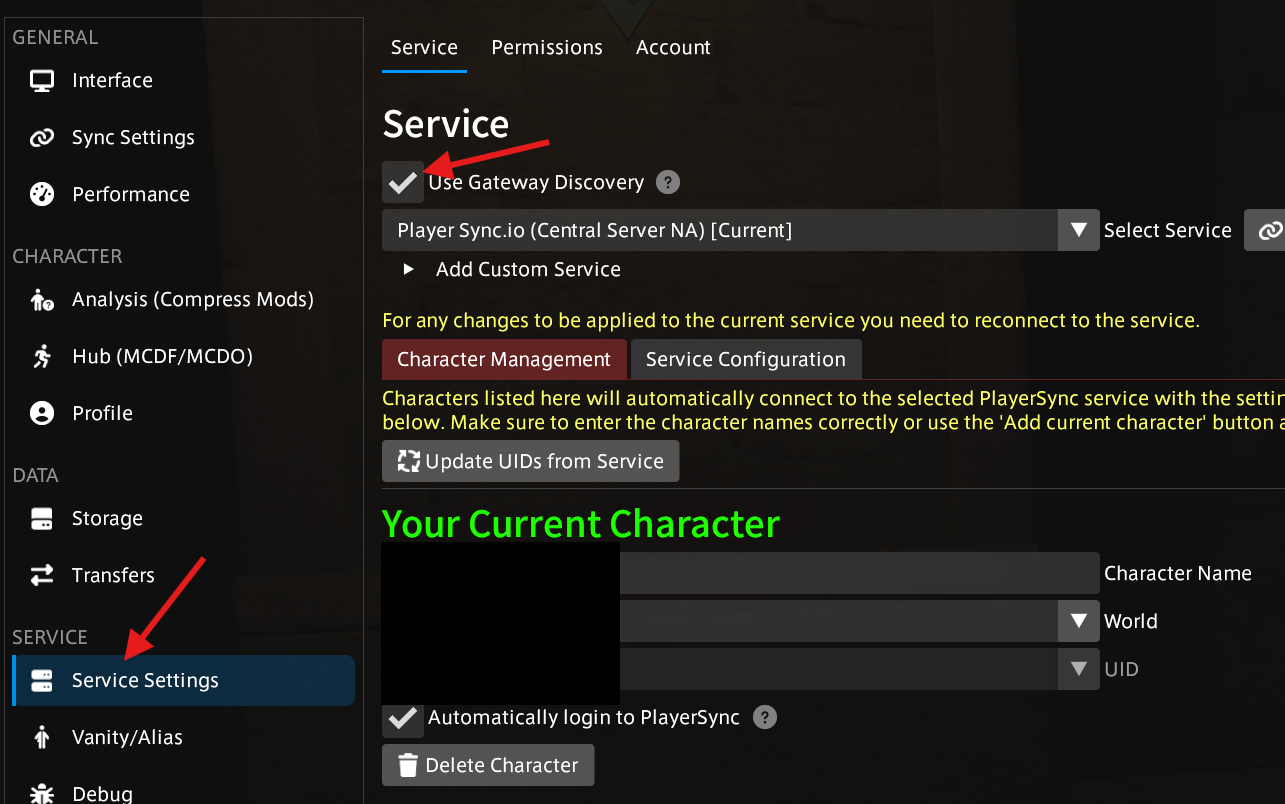
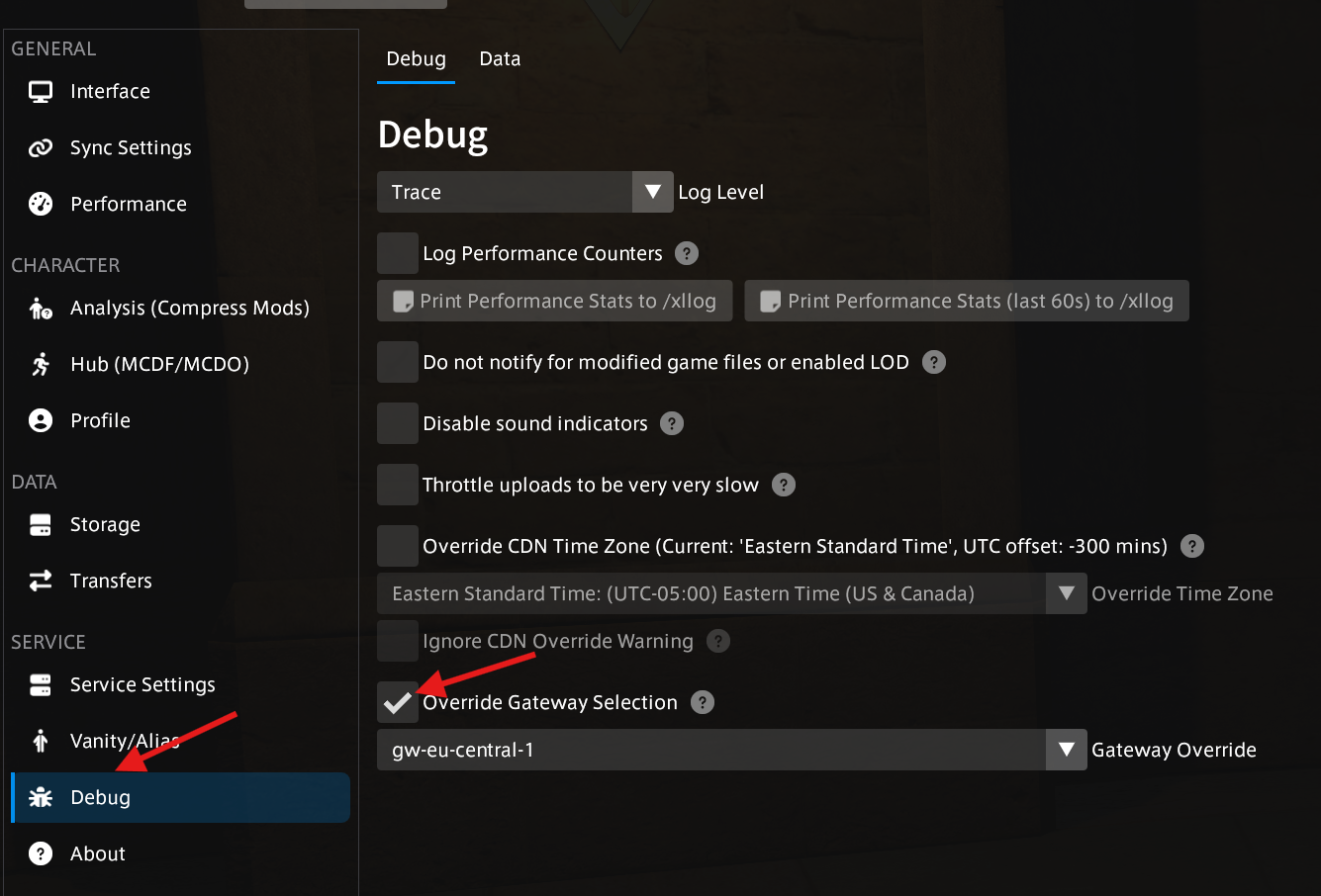
If you still have issues with the “Use Gateway Discovery” option checked, keep it enabled and pick a manual gateway from the Debug settings. Once you've selected a gateway, try and reconnect to the service.
File Server Connectivity Troubleshooting
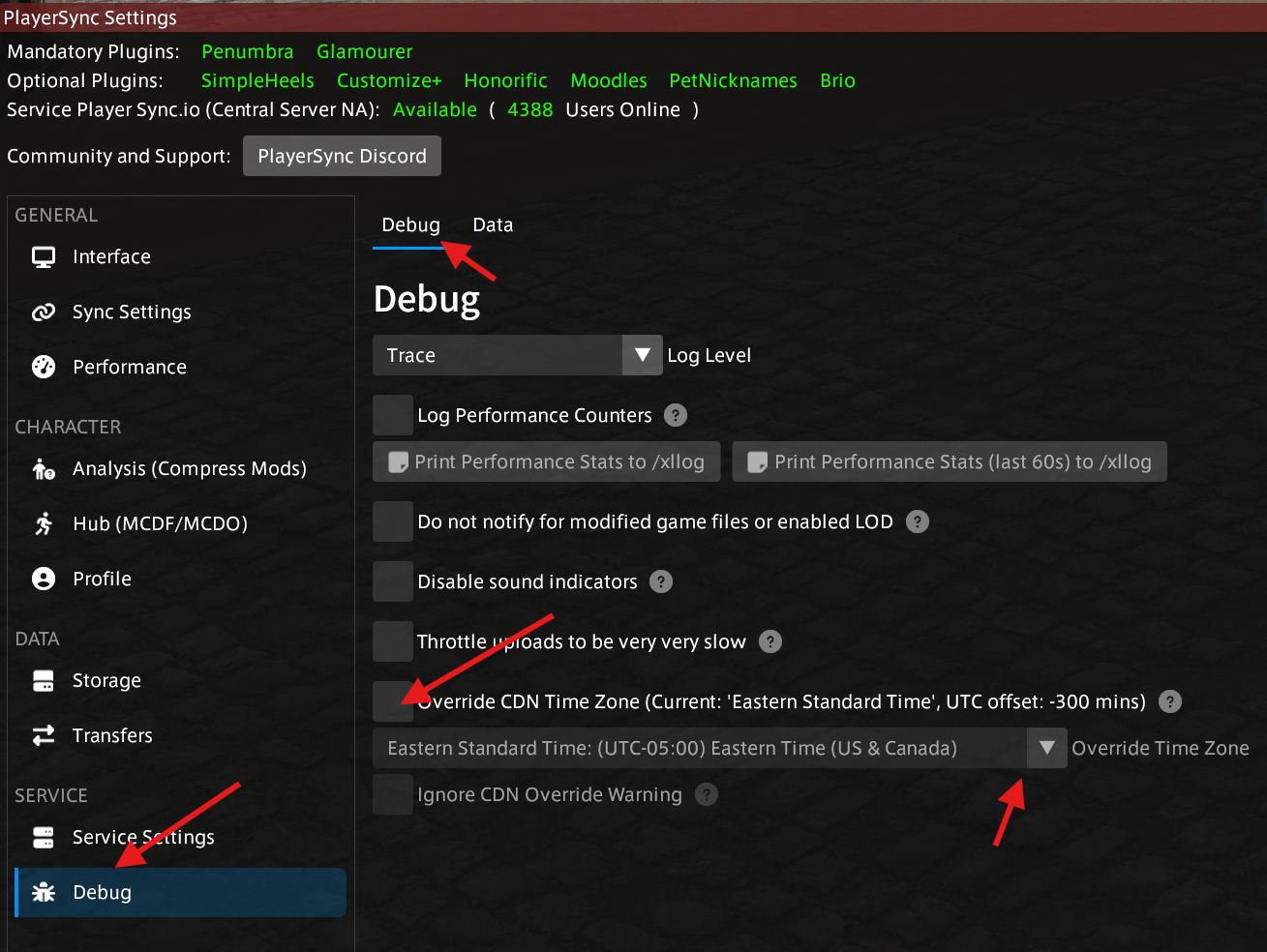
If you are having issues with uploading or downloading PlayerSync (download bars stuck for users, etc.) you can try changing your Cloudflare R2 storage bucket.
- For players in North and South America, try changing it to UTC-0
- For the rest of the world, try changing it to UTC-5
ISP/Routing Troubleshooting
Sometimes the root cause of the issue falls outside of our control, in these situations, some players have found the best thing to do is to use a VPN service to work around Internet/ISP blocks and bad routing.
One VPN service we recommend and users have had success with is: https://one.one.one.one/