You can enable Broadcast mode on a Syncshell so others around you can see it available to join. You can also enable Guest Mode on a Syncshell allowing others to join without a password.
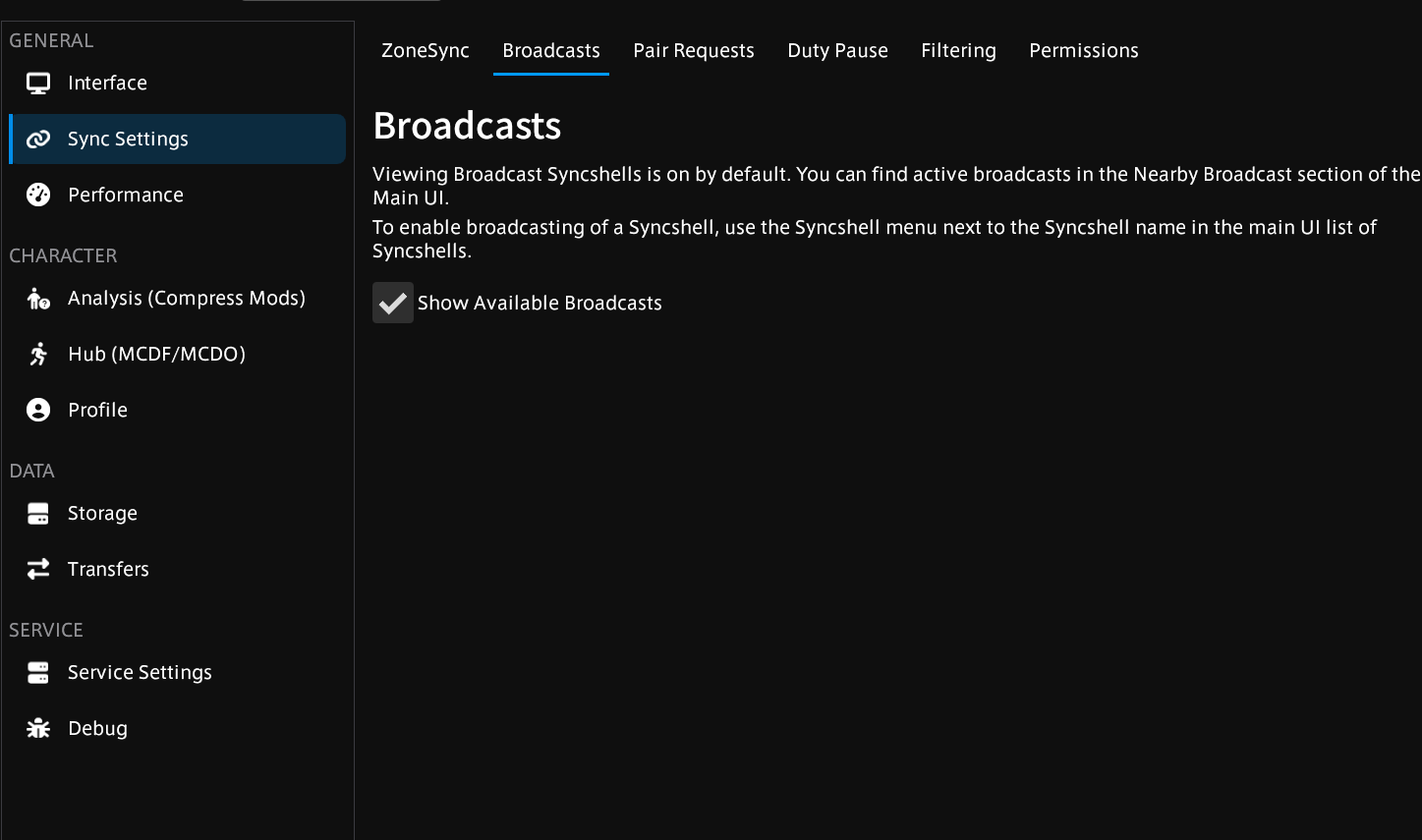
Broadcasts within the settings, this is on by default.
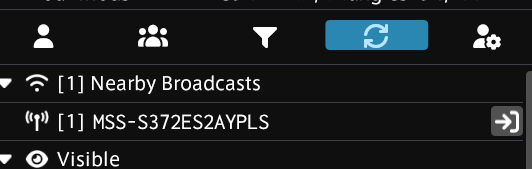
Broadcasts will appear at the top of your main UI. To broadcast your own Syncshell, click the button next to your Syncshell and choose “Start Broadcasting”. Syncshell owners and anyone who is a moderator of the Syncshell can enable Broadcasting. You can only Broadcast one Syncshell at a time. These settings can also be accessed within the Syncshell admin panel.
Visible broadcasts will show at the top of your main UI.
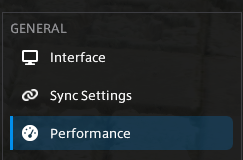
In the PlayerSync menu there is a tab called “performance” this tab splits off into three separate tabs.
Here are the three tabs, lets go over them.
If something isn't clear or not explained in depth enough you can hover over the “?” icon at the end of each setting and it will pop up a chat box explaining what the setting does in detail.
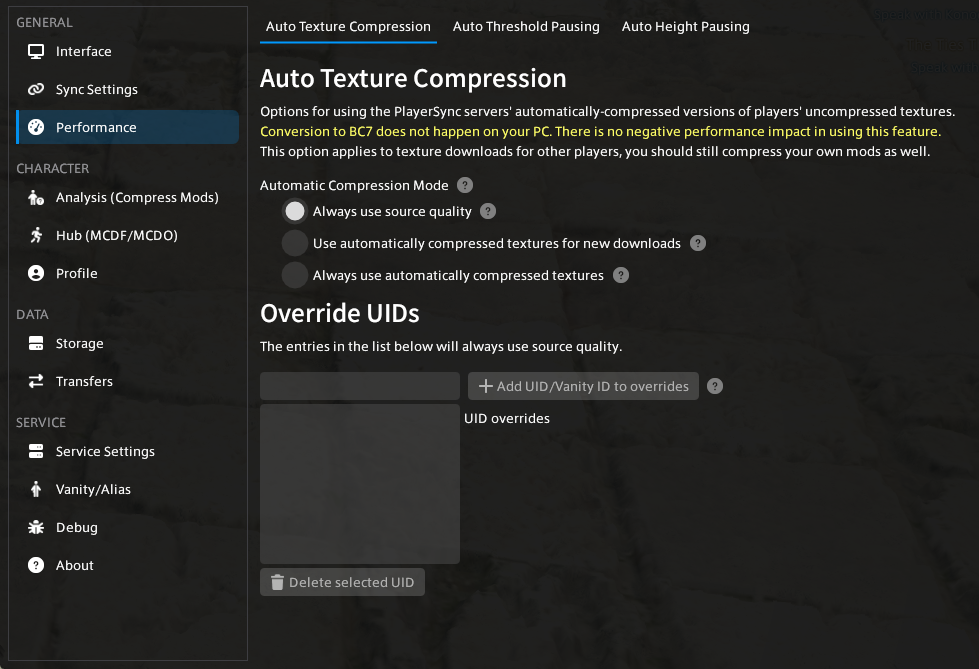
The first tab is called “Auto Texture Compression”. When the PlayerSync server receives a mod it will automatically make a copy of it with compressed textures, in this menu you can choose if you want to.
“Always use source quality” = See the mod with all its original textures.
“ Use automatically compressed textures for new downloads” = Receive compressed textures for all mods you don't already have downloaded .
“Always use automatically compressed textures” = Everything you receive from other people will be auto compressed.
In the Override UIDs menu you can add the UIDs of players you want to receive source quality from, ignoring compression mode.
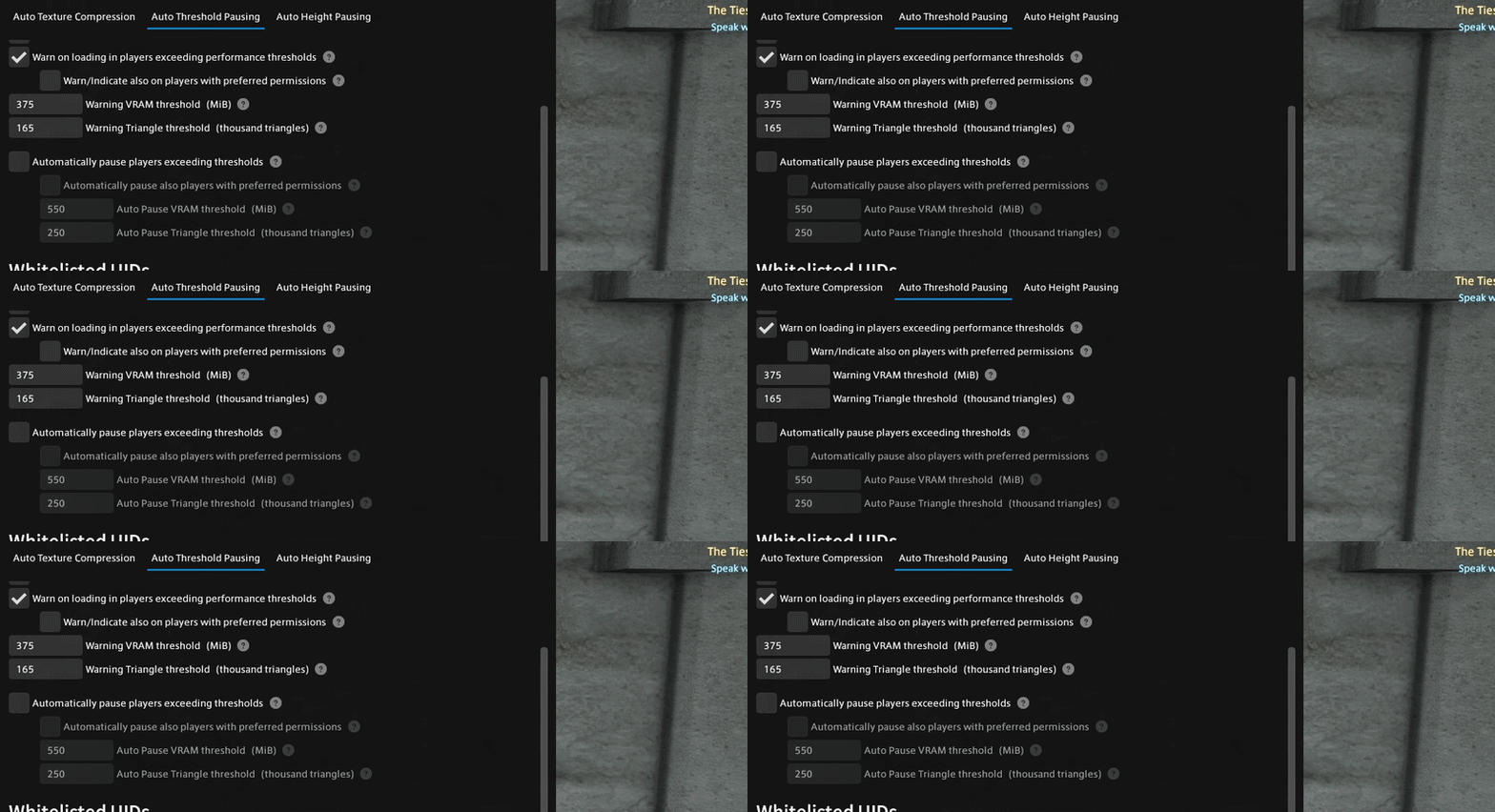
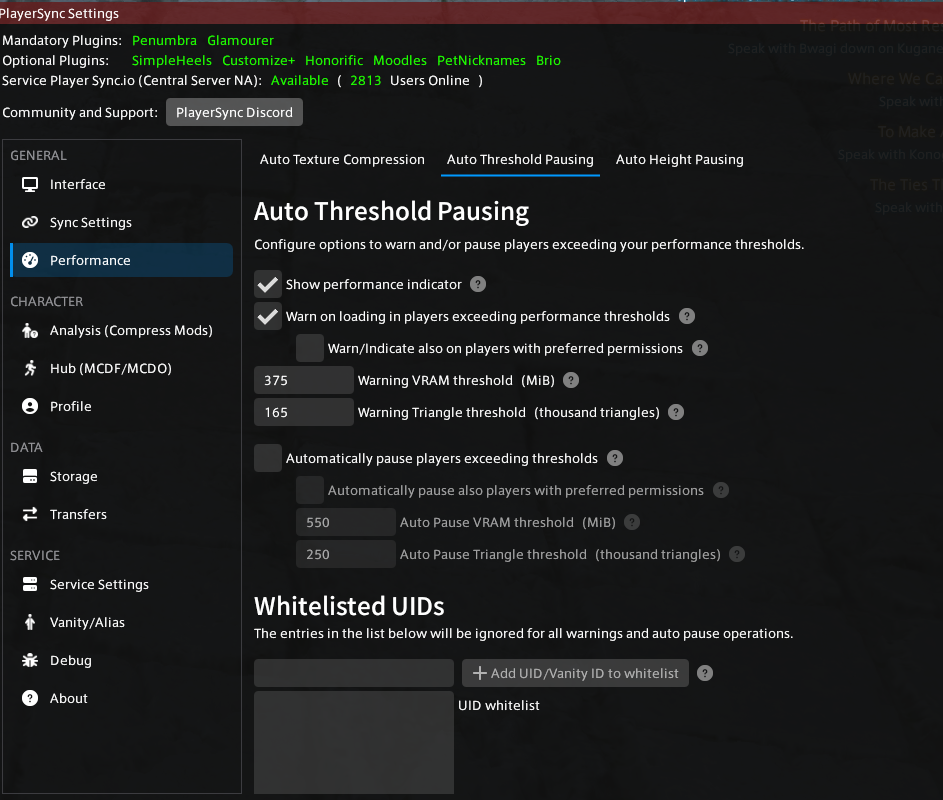
The middle tab is for setting your player threshold.
The top two boxes manage your Threshold warnings, if you have these two boxes enabled and someone who exceeds your threshold comes in loading distance you will get this warning in your chat. Unticking these boxes will disable these messages.
You can set the threshold at which these messages appear manually using the threshold settings directly underneath. You can set VRAM (how many MB someone is) and model triangles (how many verts/faces someone's character is) individually.
This is done because some models are very un-optimized, a model can have only 1000 Triangles but have an 8k texture. This can cause someone's file size to become very big very quickly without having many triangles at all. Textures tend be the fastest way a mod spikes in size quickly.
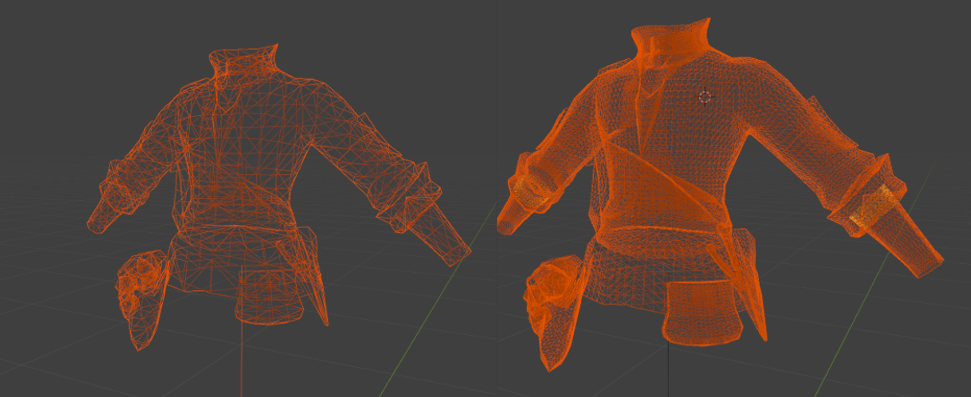
On the other hand a model can have a very small texture (64x64 for example) but consist of over 200k triangles. Despite contributing to mod size less drastically all these triangles have to be loaded by the game. This can cause issues depending on your device's specs and unlike textures the models themselves are more difficult to auto compress.
Here is an example, these two models look identical in game but one of them has significantly more triangles to load, this can tank performance fast.
If your device can't handle this there is an auto pausing feature that is similar to the warning threshold, the difference being everyone who hits this threshold gets auto-paused so you will not be able to see them anymore.
This feature is off by default and you will have to click the checkbox for it to take effect.
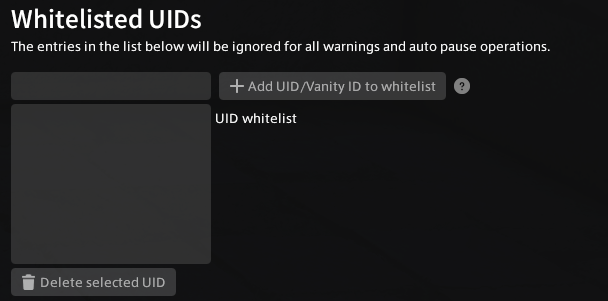
You can whitelist individual UID's. People who are whitelisted will ignore your setting and will be visible regardless of settings.
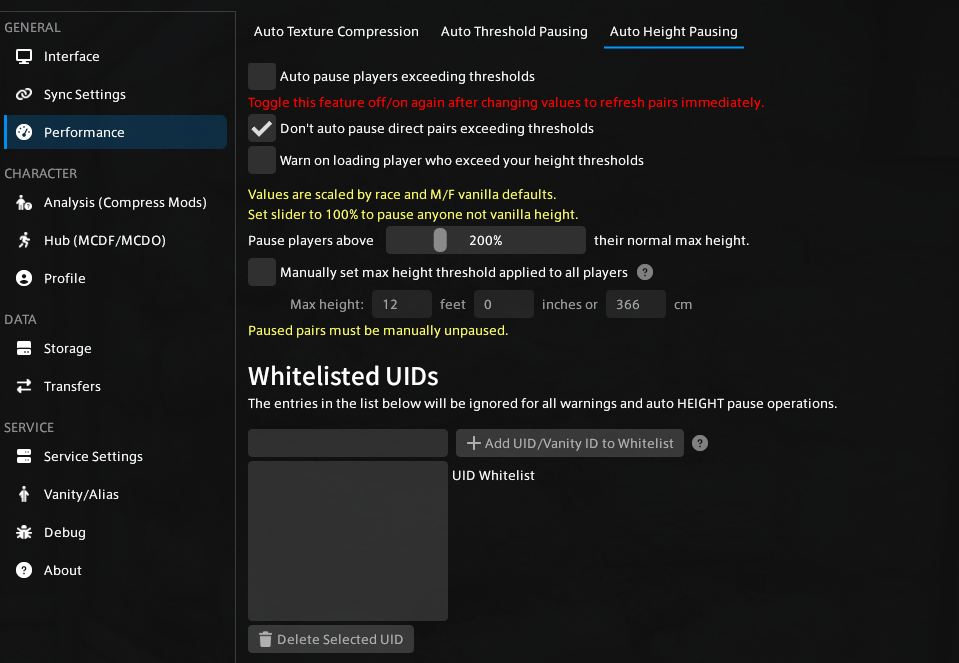
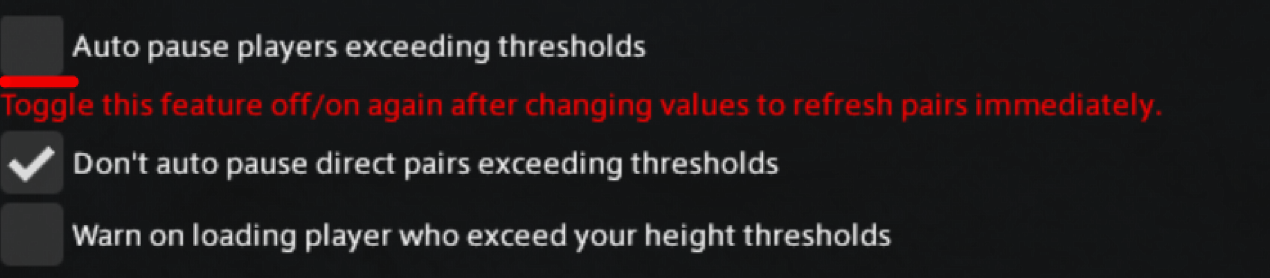
PlayerSync allows for auto pausing on players exceeding a certain height threshold.
This feature is off by default and has to be opted into. You can opt in by checking the “auto pause players exceeding thresholds” button.
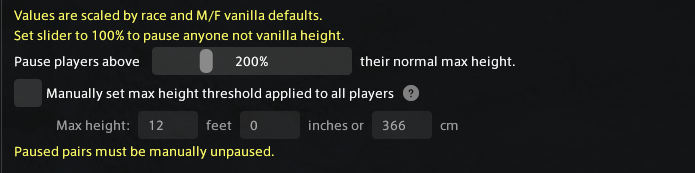
There are two ways for setting a threshold, using the slider and setting a max height manually.
When using the slider keep in mind the max height per race/gender varies quite a lot. For example, 100% for a female aura is 157 cm/5'2", while for a male aura it is 217 cm,7'1.4". Meaning that at 200% it would pause a female aura that is 335.2 cm/11'0" but not a male aura with the same height.
If you want to auto pause people who are flat out taller then a certain height you can enable “manually set max height threshold” and put in the value you want. That way it will pause any character that reaches that specific height ignoring their race settings for their vanilla race.
You can whitelist individual UID's. People who are whitelisted will ignore your setting and will be visible regardless of settings.
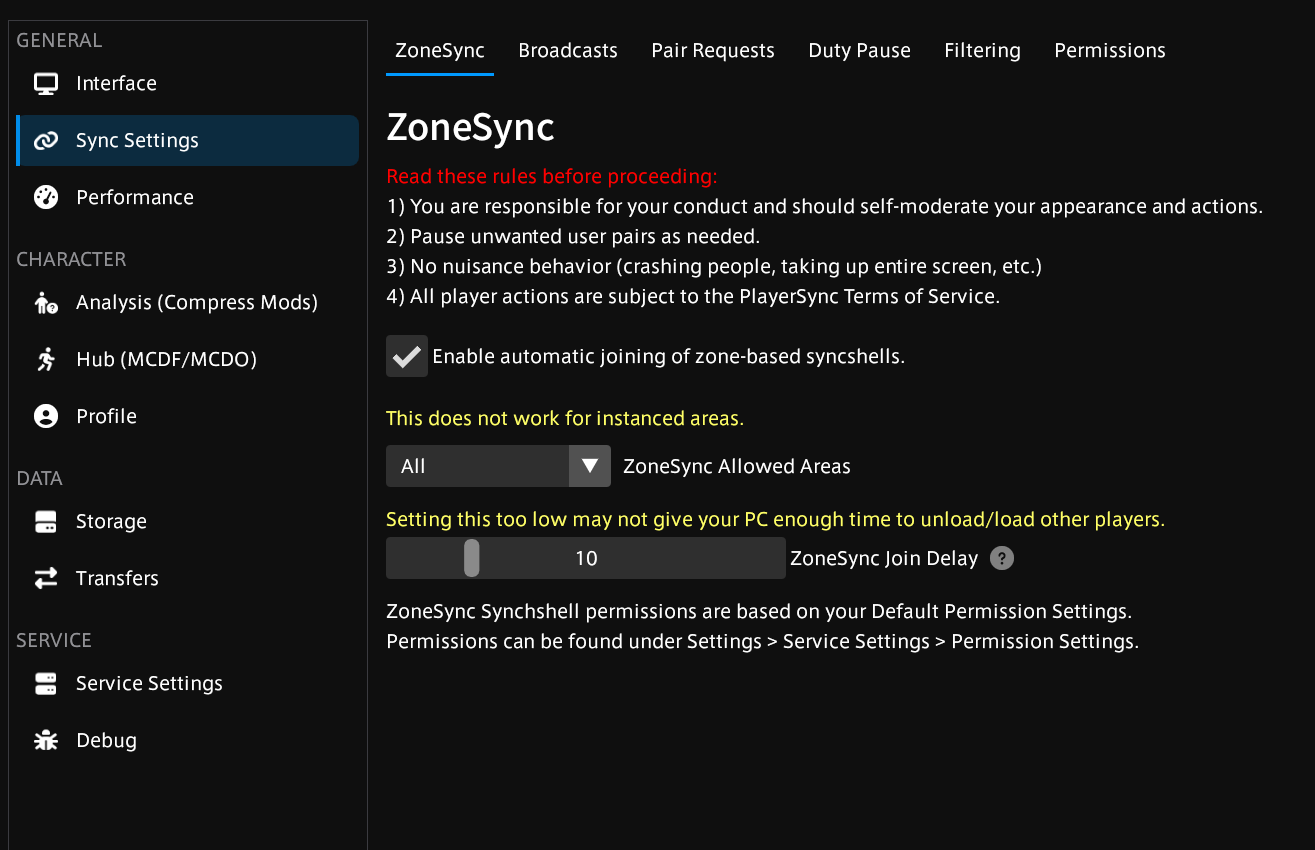
ZoneSync can be found in the PlayerSync setting by navigating to : Settings → Sync Settings → ZoneSync
ZoneSync will automatically join you to a unique Syncshell per-zone. This feature is essentially “open world pairing” and works everywhere except dungeons/instanced zones. This feature is off by default and needs to be opted into. By enabling this feature you have read and accept the four rules listed.
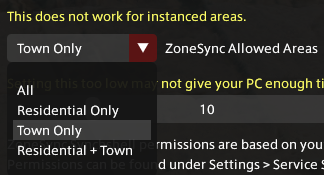
You can change which areas you want ZoneSync to work in via the “ZoneSync Allowed Areas” dropdown.
When using ZoneSync you can set a delay (in seconds) between you entering a zone and joining the ZoneSync present there. It is recommended to increase the time if you are struggling to pair.
 button next to your Syncshell and choose “Start Broadcasting”. Syncshell owners and anyone who is a moderator of the Syncshell can enable Broadcasting. You can only Broadcast one Syncshell at a time. These settings can also be accessed within the Syncshell admin panel.